

Download Xeditor – Secure Document Management Software for Windows
Overview of Xeditor
Xeditor, created by seasoned developer David Esperalta, is a full‑featured document management solution built specifically for Windows environments. Designed for professionals who need a reliable, secure, and intuitive tool to handle everything from simple text files to complex multi‑page reports, Xeditor positions itself as a one‑stop shop for document creation, editing, version control, and collaborative workflows. The software blends a modern, user‑friendly interface with powerful back‑end capabilities, allowing businesses of all sizes to streamline their document lifecycle without the steep learning curve typical of enterprise‑grade tools.
Whether you are a solo freelancer looking to keep drafts organized, a legal team needing strict version tracking, or a marketing department that collaborates on brand assets daily, Xeditor offers a cohesive experience that reduces friction and boosts productivity. Its emphasis on security—featuring encryption at rest and in transit—means that sensitive information stays protected, while built‑in audit logs give administrators visibility into who accessed or modified each file. In short, Xeditor delivers a balanced mix of ease‑of‑use and robust functionality, making it a compelling choice for anyone who wants to “download, install, and start managing documents” in a seamless, hassle‑free manner.
Key Features That Set Xeditor Apart
- Advanced Version Control: Automatic snapshotting ensures every edit is saved, allowing users to revert to any previous state with a single click.
- Real‑Time Collaboration: Multiple users can work on the same document simultaneously, with live cursor tracking and change highlighting.
- Secure Encryption: AES‑256 encryption protects files both on disk and during network transfers, meeting industry compliance standards.
- Customizable Templates: A library of pre‑built templates for reports, contracts, and presentations accelerates document creation.
- Integrated Search Engine: Full‑text indexing and metadata filters let you locate any document in seconds, even across large archives.
- Audit Trail & Permissions: Detailed logs capture who accessed or modified a file, while granular role‑based permissions control access levels.
- Batch Processing Tools: Automate repetitive tasks such as renaming, format conversion, or applying watermarks to multiple files at once.
- Cross‑Platform Sync (Future‑Ready): Although currently Windows‑only, Xeditor’s architecture supports future extensions to macOS and mobile platforms via secure cloud sync.
- Plugin Ecosystem: An open API allows developers to create add‑ons for specialized workflows, such as legal citation management or scientific referencing.
- Regular Updates & Support: Monthly security patches and feature updates keep the software current, backed by responsive technical support.
Installation, Setup, and Everyday Usage
Getting Xeditor up and running is deliberately straightforward. After you download the installer (a compact 45 MB .exe file), double‑click to launch the guided setup wizard. The wizard walks you through license agreement acceptance, choosing an installation folder (default is C:\Program Files\Xeditor), and selecting optional components such as the batch processing module or the template library. The entire process typically completes within five minutes on a standard Windows 10 or Windows 11 machine.
Once installed, the first launch presents a clean dashboard that categorizes your documents by type, recent activity, and shared projects. Importing files is as easy as dragging them onto the interface or using the File → Import menu. Xeditor automatically reads metadata, assigns a version number, and stores the document in an encrypted repository on your local drive. For teams, the Share button generates a secure link that respects the permissions you set—read‑only, comment, or full edit.
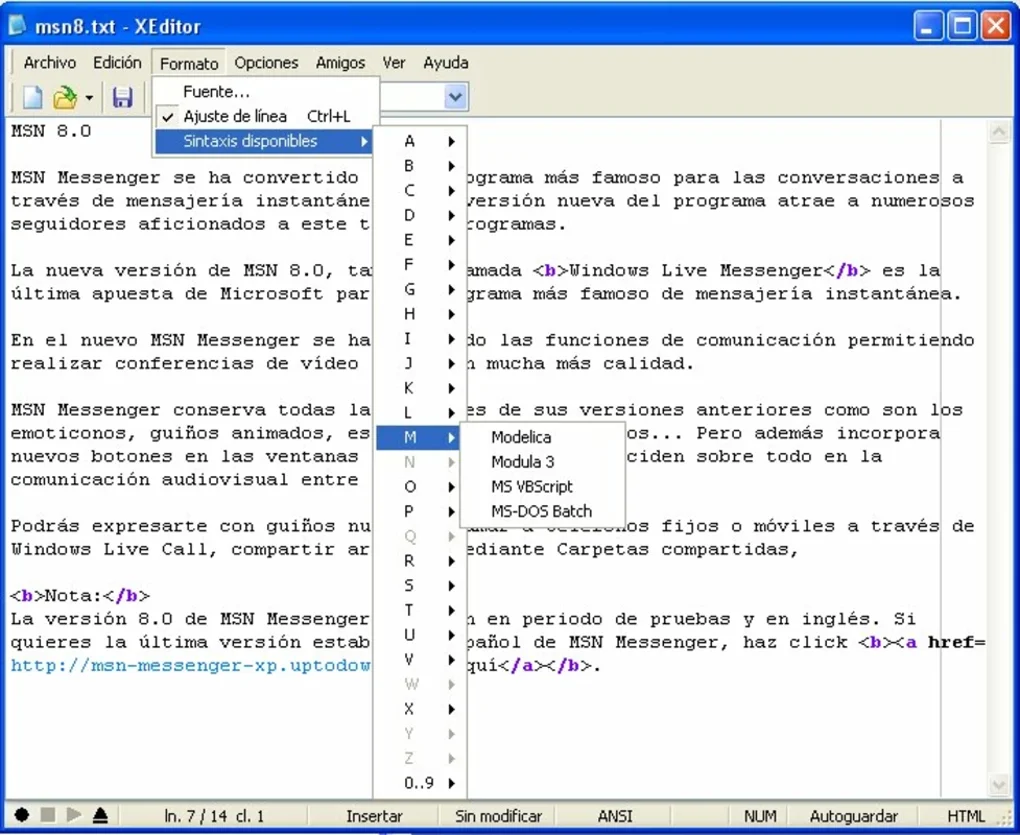
Everyday usage revolves around the robust toolbar at the top of the editor. Common actions—such as bold, italics, heading styles, or inserting tables—behave like familiar word processors, but every change is logged instantly. The History pane on the right provides a visual timeline of edits, complete with timestamps and author names, enabling you to jump back to any point in the document’s life. The Search function leverages the built‑in index, allowing you to query across file contents, titles, tags, or custom metadata fields. For power users, the Macro Recorder captures a series of actions that can be replayed on other documents, dramatically reducing repetitive work.
Finally, Xeditor includes an automatic backup scheduler. By default, it creates encrypted snapshots every 24 hours and stores them on a user‑specified external drive or network share. These backups are seamlessly integrated into the version control UI, so you can restore an entire project or individual files with a few clicks—ensuring data resilience without extra effort.
Compatibility, Pros, and Cons
Xeditor is officially supported on Windows 10 (64‑bit), Windows 11, and Windows Server 2016 or newer. The installer detects your system architecture and automatically applies the appropriate binaries. While the current release is Windows‑exclusive, the development roadmap mentions a future macOS version, leveraging the same encrypted back‑end to maintain cross‑platform consistency.
Pros
- Intuitive, modern UI reduces the learning curve for new users.
- Robust version control and audit trails meet compliance requirements.
- Strong security with AES‑256 encryption for both storage and transmission.
- Real‑time collaboration rivals cloud‑based rivals while keeping data on‑premise.
- Extensible via plugins and macros, allowing tailored workflows.
- Regular updates and responsive technical support from the developer.
Cons
- Currently limited to Windows; macOS and mobile users must wait for future releases.
- One‑time purchase price may be higher than some freemium alternatives.
- Initial setup of advanced permissions may require a brief learning period.
- No built‑in cloud storage; external solutions needed for true remote access.
Xeditor delivers a surprisingly powerful set of document‑management capabilities for a Windows‑only desktop application. Its blend of security, version control, and real‑time collaboration fills a niche that many cloud‑first tools overlook—organizations that need to keep sensitive files in‑house. While the price point may deter casual users, the return on investment is evident for teams that rely on strict audit trails and robust permissioning. The only real drawback is the lack of native macOS support, but the roadmap looks promising. Overall, Xeditor earns a solid 4.5‑star rating for its feature depth, stability, and thoughtful design.
Frequently Asked Questions
Is Xeditor a free tool or does it require a purchase?
Xeditor is a commercial product with a one‑time purchase price of $49.99 USD. The license includes free updates for one year, after which you can renew at a discounted rate.
Can I use Xeditor on macOS or Linux?
At present Xeditor is built exclusively for Windows 10/11 and Windows Server. The development team has announced plans for a macOS version in 2026, but Linux support is not currently on the roadmap.
How does Xeditor handle document security?
All files are encrypted with AES‑256 both at rest and during any network transfer. Access is controlled through role‑based permissions, and an immutable audit log records every view, edit, or export action.
Is there a cloud sync option for remote teams?
Xeditor does not include built‑in cloud storage, but it can sync with any third‑party cloud service (OneDrive, Dropbox, SharePoint) via its folder mapping feature. The sync respects the same encryption and permission rules.
What kind of technical support is provided?
Customers receive email support with a typical response time of under 24 hours. The website also hosts a knowledge base, video tutorials, and a community forum for peer‑to‑peer assistance.
Conclusion & Call to Action
If you’re searching for a secure, feature‑rich document management application that runs natively on Windows, Xeditor is a compelling choice. Its blend of version control, real‑time collaboration, and enterprise‑grade encryption makes it suitable for everything from small businesses to larger organizations that must protect sensitive information. While the lack of macOS support and the upfront cost may give some pause, the productivity gains and compliance benefits often outweigh these considerations. Ready to experience streamlined document handling? Download Xeditor today, install it in minutes, and start organizing your files with confidence.







